Physical Address
304 North Cardinal St.
Dorchester Center, MA 02124
Physical Address
304 North Cardinal St.
Dorchester Center, MA 02124
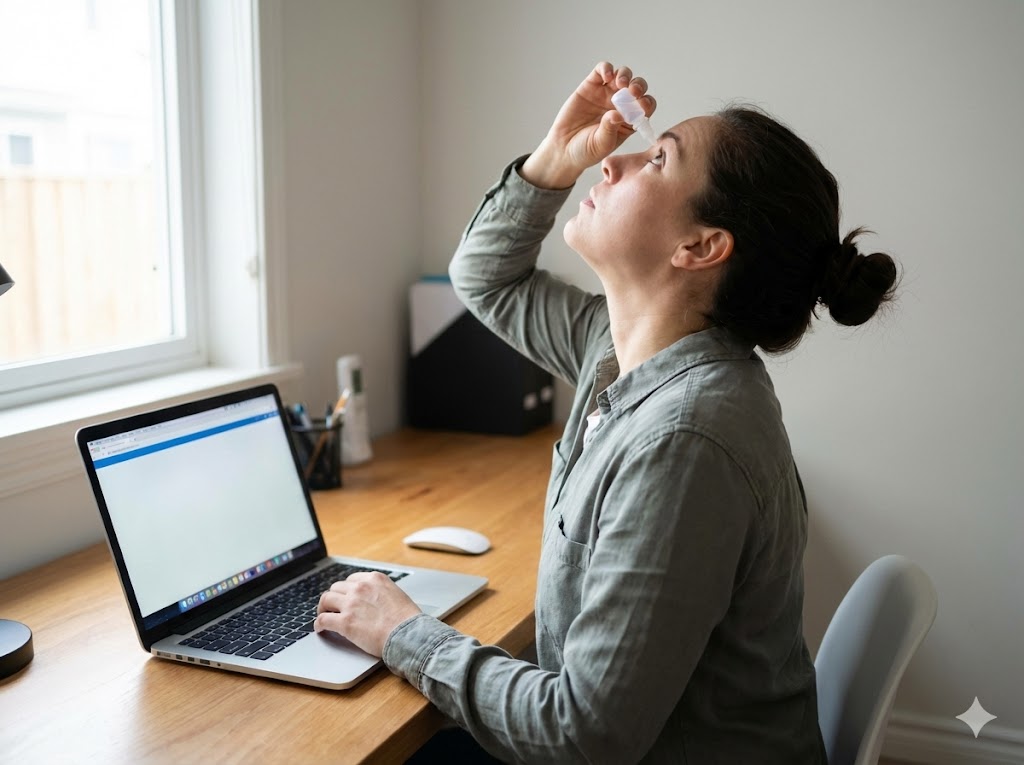
Learning how to relieve digital eye strain headaches often begins with understanding the physiological load placed on the ocular muscles during prolonged screen exposure. When individuals focus on high-resolution displays for extended periods, the ciliary muscles within the eye remain in a state of constant contraction, which can lead to localized fatigue and tension. This sustained effort is a primary contributor to the discomfort often reported by those working in office environments or utilizing mobile devices for several hours daily.
The visual system is designed for distance viewing, yet modern habits force a near-point focus that triggers a cascade of neurological and muscular responses. This process, known as accommodative stress, occurs when the lens of the eye changes shape to maintain focus on close objects, eventually leading to the sensation of tightness around the temples or behind the eyes. By adjusting environmental factors and visual habits, individuals can often mitigate the intensity of these sensations.
To address this, the 20-20-20 rule serves as a foundational habit: every 20 minutes, look at something 20 feet away for at least 20 seconds. This simple, evidence-based practice allows the ciliary muscles to relax, effectively resetting the accommodative system and reducing the likelihood of tension-related discomfort. Consistent application of this technique is a primary recommendation for maintaining ocular comfort throughout the day.
Visual fatigue patterns often emerge when the ocular system is pushed beyond its natural capacity for sustained near-point focus during daily digital tasks.
The human eye is not evolutionarily optimized for the high-frequency, short-distance demands of modern digital interfaces. When an individual stares at a screen, the blink rate often decreases significantly, which disrupts the tear film and leads to surface dryness. This lack of lubrication creates a friction-like sensation that the brain interprets as irritation, further compounding the feeling of fatigue and tension in the surrounding facial muscles.
Beyond the surface, the internal mechanics of the eye are working overtime to maintain clarity. The National Eye Institute notes that digital eye strain is a common result of prolonged screen use, often manifesting as headaches or blurred vision. By understanding that these symptoms are a physical response to overexertion, individuals can better prioritize rest intervals and environmental adjustments.
The 20-20-20 rule functions as a neuromuscular reset for the eyes. By shifting focus to a distant point, you force the ciliary muscles to transition from a state of intense contraction to a relaxed, neutral position, which helps prevent the onset of tension headaches.
This practice is particularly effective because it interrupts the accommodative lock that occurs during deep concentration. When you look away, the eyes stop the constant micro-adjustments required to keep pixels in focus, allowing the ocular system to recover its baseline functionality.
Integrating this into a workflow requires minimal effort but provides significant long-term relief. Setting a subtle timer or using a visual cue in your environment can ensure you do not forget to give your eyes the necessary downtime to prevent cumulative strain.
Environmental factors play a substantial role in how quickly the eyes reach a point of exhaustion. High-contrast settings, where the screen is significantly brighter than the surrounding room, force the pupils to constantly adjust, which accelerates the depletion of visual energy. Balancing the ambient light in your workspace with the brightness of your monitor can create a more stable visual field.
Furthermore, the positioning of the screen relative to the eyes is a critical component of ergonomic health. Research from the University of Alabama at Birmingham suggests that placing the screen slightly below eye level can reduce the surface area of the eye exposed to air, which helps maintain moisture levels. This simple adjustment reduces the need for frequent, forced blinking and minimizes the physical effort required to maintain a clear line of sight.
Adjusting your screen to match the ambient light of your room is a primary way to reduce the workload on your visual cortex. When the screen is too bright, the eyes must work harder to filter the incoming light, which can lead to a dull, throbbing sensation behind the forehead.
Using a warm color temperature setting on your device can also be beneficial for many individuals. By reducing the intensity of blue light emission, you may find that your eyes feel less “wired” or agitated after several hours of work, leading to a more relaxed state of focus.
Proper ergonomic placement of your monitor ensures that your neck and shoulders remain in a neutral position. When the neck is strained, the tension often radiates upward into the scalp and temples, which can be easily mistaken for a primary headache rather than a secondary symptom of poor posture.
While lifestyle habits are the first line of defense, the structural integrity of the eye depends on a steady supply of specific micronutrients. The macula, a small area in the center of the retina, is highly concentrated with carotenoids that act as a natural shield against light-induced stress. Ensuring a diet rich in these compounds can support the eye’s ability to manage the oxidative stress associated with daily screen use.
Common food sources include spinach, kale, and orange-colored vegetables like carrots and bell peppers. These foods provide the building blocks for healthy retinal function and overall ocular resilience. While supplements are available, focusing on whole-food intake allows for a broader spectrum of synergistic nutrients that support metabolic health beyond just the eyes.
Lutein and zeaxanthin are essential macular pigments that function as internal sunglasses. By absorbing excess light energy, they help protect the delicate photoreceptor cells from the cumulative impact of high-energy light exposure throughout the day.
Maintaining adequate levels of these nutrients may support visual contrast sensitivity, which is the ability to distinguish an object from its background. When contrast sensitivity is high, the brain does not have to work as hard to interpret images, which can reduce the cognitive load and associated headache symptoms.
Incorporating a variety of colorful produce into your daily meals is the most effective way to ensure these nutrients are available for ocular tissue maintenance. This approach provides a consistent supply of antioxidants that help the body manage the daily metabolic demands of high-intensity visual tasks.
| Feature | Lutein/Zeaxanthin | Omega-3 Fatty Acids |
|---|---|---|
| Primary Benefit | Light filtration and macular support | Tear film stability and moisture |
| Mechanism | Antioxidant pigment accumulation | Anti-inflammatory lipid support |
| Best Source | Dark leafy greens | Cold-water fish or flaxseed |
Systemic hydration is often overlooked as a factor in ocular comfort, yet the tear film is primarily composed of water. When the body is dehydrated, the quality and quantity of the tear film can diminish, leading to increased friction during every blink. This dryness is a frequent trigger for the stinging or gritty sensation that often precedes a tension headache.
Maintaining consistent fluid intake throughout the day supports the production of high-quality tears. Additionally, the use of a humidifier in dry office environments can prevent the rapid evaporation of the tear film. These simple, non-invasive strategies address the physical environment of the eye, allowing for a more comfortable experience during long periods of screen engagement.
Adequate systemic hydration is the foundation for a healthy tear film. When you are well-hydrated, your body can produce the necessary volume of tears to keep the ocular surface smooth and clear, which reduces the need for constant, effortful blinking.
Using a humidifier in your workspace can be a game-changer for those in climate-controlled environments. By increasing the moisture content of the air, you reduce the rate at which your tears evaporate, keeping your eyes feeling refreshed for longer periods.
If you find your eyes feeling particularly dry, conscious blinking can help. By making a deliberate effort to close your eyes completely every few minutes, you stimulate the meibomian glands to release the oils that prevent your tears from drying out too quickly.
Some individuals find that blue light-filtering eyewear reduces the perceived intensity of screen glare, though evidence on their ability to prevent headaches is mixed. They may provide a sense of comfort for some, but they should be used alongside, not instead of, the 20-20-20 rule.
While the 20-20-20 rule suggests a 20-second break, longer breaks of 5 to 10 minutes every hour are often beneficial for overall ocular and mental recovery. If symptoms persist, stepping away from all screens entirely is the most effective way to allow the ciliary muscles to fully relax.
Foods high in antioxidants, such as leafy greens, berries, and fatty fish, support general ocular health. While no food will instantly stop a headache, a diet that supports systemic inflammation management can help reduce the frequency of discomfort over time.
Relieving digital eye strain requires a combination of regular visual breaks, ergonomic adjustments, and systemic support for ocular health. By prioritizing the 20-20-20 rule and optimizing your environment, you can significantly reduce the physical tension associated with modern screen use.
This information is for educational purposes only and does not constitute medical advice. Individuals who are pregnant, breastfeeding, managing a chronic health condition, or taking prescription medication should seek individualized guidance from a qualified clinician before making significant changes to their wellness protocols.
Begin by setting a recurring timer for your next 20-second break to observe how your eyes respond to consistent, intentional rest.
Get Your FREE Ultimate Vitamin Guide!
Join the VitaminProGuide community to receive science-backed supplement reviews, nutritional insights, and absorption tips, delivered straight to your inbox.
Vitaminproguide.com is reader-supported. When you buy through links on our site, we may earn an affiliate commission at no extra cost to you. As an Amazon Associate, we earn from qualifying purchases. Read our full disclosure.